53 comments found.

Hi Bogdafon,
We are currently facing a major issue with your pack, every time we try to import file form it, for instance glass_feltside.png or any other asset you have included in your pack, After effect crashes.
Could it be a corrupt file placed somewhere in the pack? We really need to have this sorted as our due date is due early next week.
Hopefully you can help us to work this out.
Best regards,
Hey. Most likely this problem is local. Make sure that you unpack the archive with the project in a new folder. Also try to open the project on another computer, this will help to identify the problem.
Hey,
Yes, the project was opened in a new folder twice and has been tried on multiple computers, is there any other solution you may be able to provide please?
Hi! Please, send me a screenshot on mail of the error with which the program crashes.
Hello, the book I want to use your tool for has 297mm with 210mm height, 256 sides. Is it possible to set this ratio and is the spine editable? Thank you
Hi! The resolution of images in the project measured in pixels. In it, you can change the aspect ratio. How to do this, for example of several scenes, is shown in this video-tutorial: https://youtu.be/gSLU3ZzcSdY Thickness is not yet possible.
This template looks like it would be great for a magazine, but can I change the thickness of the spine to make it look like a hardcover 300 page book?
Unfortunately, you can not change thickness of spine. But I have project already with book template. And there is the possibility to change the thickness. Link to it, if it suits you: https://videohive.net/item/book-promo-kit/21588531
Hello, how can i change the color of the spine or add an image to the spine?
Hi! Write me on mail
Hi, i’ve a problem with scene 5. The page 6 in center journal move and we see the page 4 back at the end of motion. Why ?
Hi! Try changing the quality of the preview to a “Full”. If this still showing, write to me through my profile.
Hi, oops. Ok, it’s fixed. Sorry.
Not a problem =)
HI am I able to change the size? I print square magazines and this would be a great add on. Thank you in advance. P
Hi! Of course, you can use square pages!
Awesome work…)
great job!!
When will the scaling issue be solved? I want to promote my photobook for pre-orders, but scaling is going to be an issue I guess?
Now this is no longer a problem. Use any format. How to do this, for example of several scenes, is shown in this video-tutorial: https://youtu.be/gSLU3ZzcSdY
Chiming in here to say I have the same ratio issue.
Write to my mail
Same problem (Scaling the page is not an answer as it’s simply about the ratio of the page. If I scale the images down there will be a lot of blank/negative space and it won’t look right. How can the proportions be fixed? is there an answer?
Hello! Due to the fact that there are so many questions on this topic, I decided to start work on this problem. The new version will be available in a few days. You will receive a notification when the administrators approve it
Ho do I change the dimensions of the magazine/pages. I see your template fits pages at the size of 1414×2000 and I want the pages to be 1519×2000
This is not possible, because the proportions will be lost. But you can adjust your page to the available resolution using “Scale” or press “S” on your image
Scaling the page is not an answer as it’s simply about the ratio of the page. If i scal the images down there will be a lot of blank/negative space and it won’t look right. How can the proportions be fixed? If this something we can continue via direct contact.
Hi I realy like this project and would buy it, but I want to know do you use any expressions? I am working in a German version of AE and it always have issues with expression from an English version projects.
Hello! I just checked project in the French version and no problem. I do not think that they will arise from you, but you can always write to me and we will solve it
Does it work with 230×297? or is it 210×297 format only? Thanks!
The original size is 1414х2000. But you can use the “scale” to set the size what you need
Does it have to be a uniform Scale? Or can i use 1414×1826?
You can scale only your image, not project pages. But how it will look like I can not say. maybe it will not be in proportion
Hi, how many pages total are in this project? ( not including cover/back) Thanks!
Hello! The number of pages depends on the scenes. In some scenes, you can place only 4 pages, and long scenes of 16 pages
Nice! Can I use this project for a landscape book?
Unfortunately so far only for the use of vertical books
nice
Very good promo! 
Hello! I’m getting a glitching error from Center Journal: SCENE 05_PAGE 05. I’ve tried redownloading in case I deleted a layer, but I’m getting the same problem. It looks like a flashing, perhaps something to do with the shadow layer, but I’m not sure. Can you please quickly advise? Thank you!
Can you please send on my mail (bogdafon2018@gmail.com) rendered this “glitching” part of video?
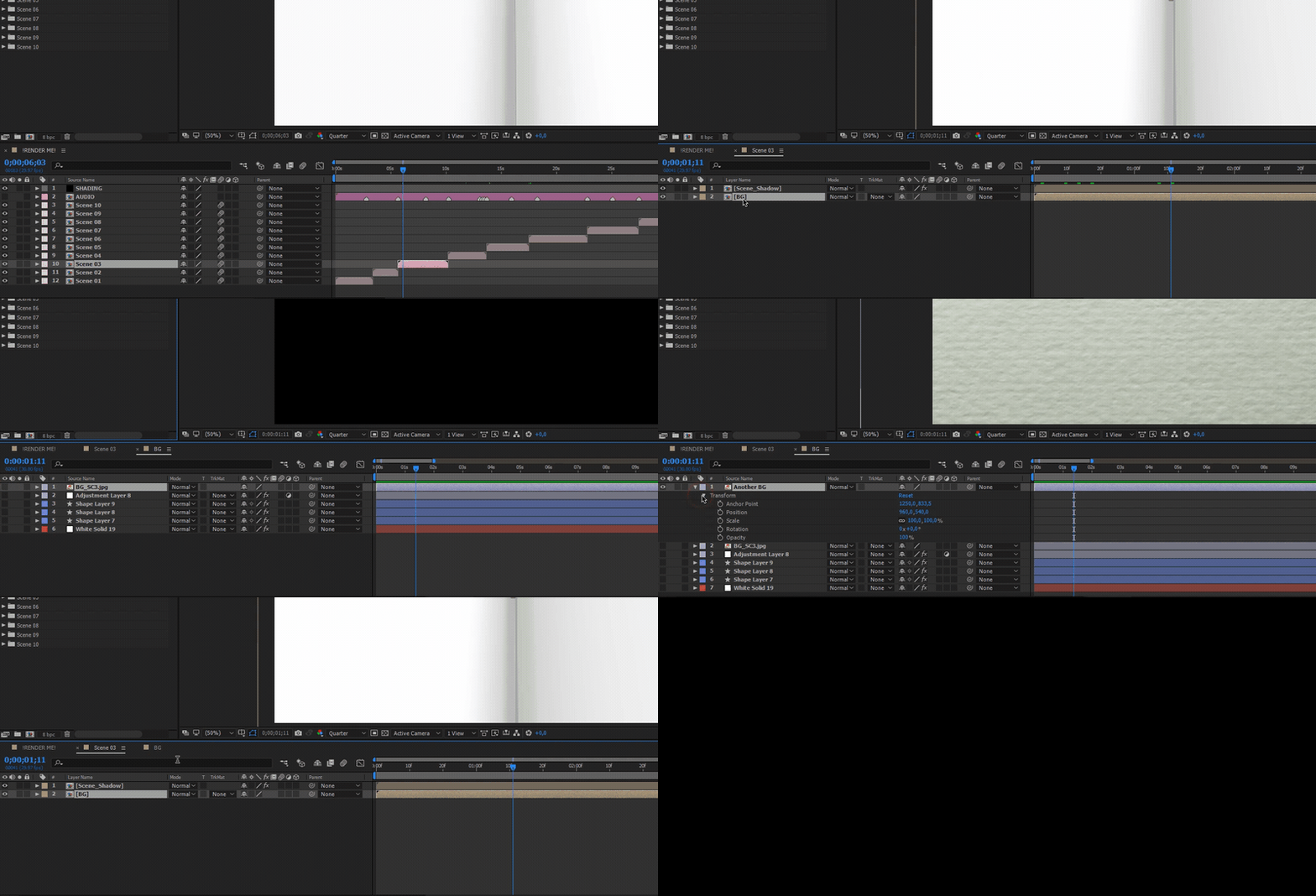
Perfect theme! But can I change the background? Havent find it yet… 
Go to “Scene_XX”>”BG” and replace BG image.As shown on gif below
http://res.cloudinary.com/dkvf1kjjq/image/upload/v1519381365/bandicam_2018-02-23_12-20-02-188_i3ivtr.gif
Elite Author
Contact the Envato Market Help Team