

977 comments found.

I just bought and downloaded the transitions. It says ‘This project was saved in a newer version of adobe premiere pro and cannat be opened in this version. Please help. Thank you.
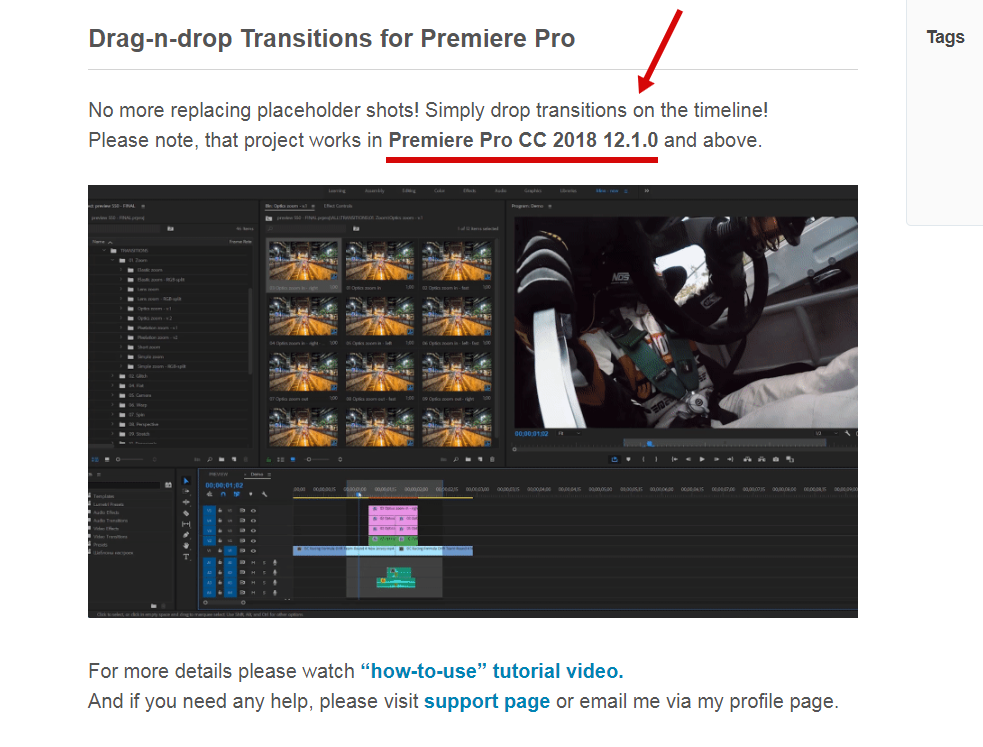
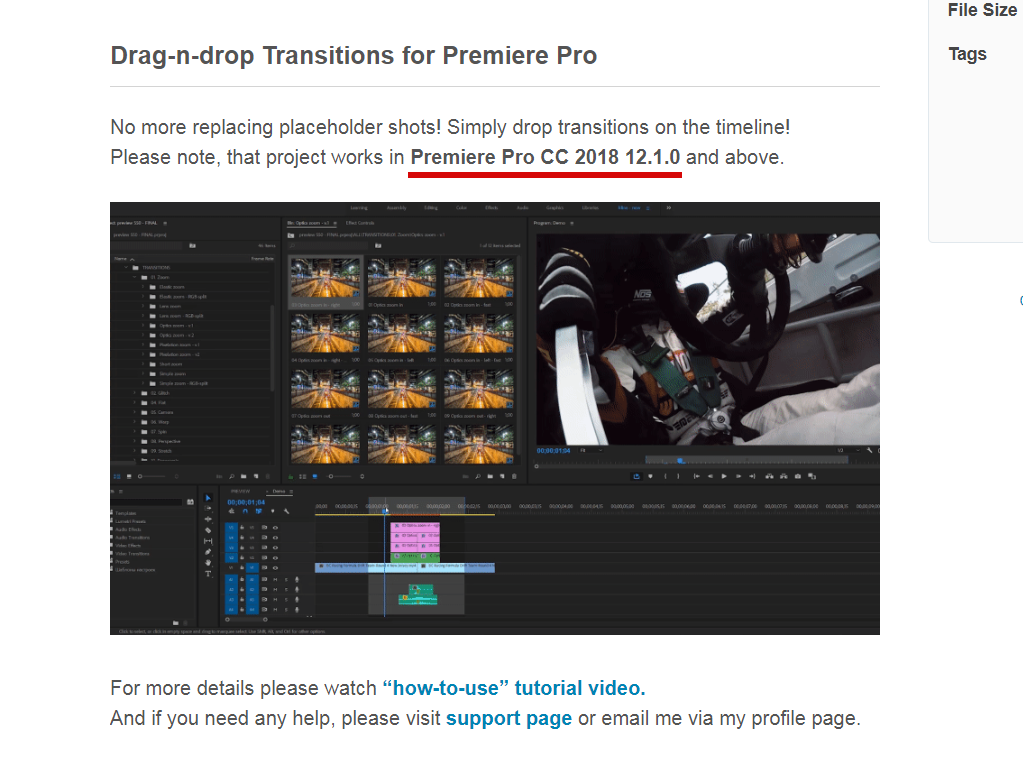
Hi! Please update your Premiere Pro. Version requirements are stated at the top of the project page https://c2n.me/40qxhaZ.png.
I just bought and downloaded the transitions. It says media is missing. I tried pulling in one of the transitions and it was like slow motion and then the rest of my video was in slow mo for some reason. Please help. Thank you.
Hi! Please follow my tutorial video step-by-step https://youtu.be/CnJEirVOlUk?t=33. You need to re-save transitions project file before importing it into your project. And I show how it can be done in my tutorial.
I have just downloaded the latest version of these transitions and they keep on making Premiere Pro CC (v12.1.2) whenever I try and import the file or use them on the timeline. At the moment they’ve become almost unusable – any ideas or is it possible to revert to the old version of these transitions as I worry the number of files is maxing out my CPU. Cheers, Macca
Hi Macca! Please email me via my profile page and I’ll provide you with the solution how to greatly improve your workflow.
Hi , I purchase the seamless transition. But when downloaded, it’s appear media missing . I had tried the video tutorials u share . But still can’t work
Hi! I’ve just replied on your email.
oh, what a pity… I just wanted to buy it, but then I saw, that CC2018 is needed… But I have to work on older versions. You should state that much clearer and bigger, especially as there’s written “Premiere Pro CC” in the requirements
Well, version requirements are mentioned at the top of the project page http://c2n.me/40j5qd9.png
yes, I saw after I read the comments, but it’s not “at the top” it’s hidden in the “drag-n-drop” description. But anyway, I can’t use your product as i cannot use CC2018 as it makes problems
Hello there! I have another resolution in my camera: 2688×1512. It’s Garmin Virb Edit sport camera. Almost GoPro resolution but few pixels less… Will it work? Thanks! 
Edit: Ah, one thing might help. Output video will be 3840×2160 
Hi! Yes, you can make any custom resolution as you like
Do these packs need a lots of memory? I imported 4K transitions into the project like you said in the Tutorial movie to afterwards it lags as hell when I save the project from time to time. I have SSD disc so I thought it shouldn’t be an issue 
Hi Kraina. Well, you need pretty good hardware to work with 4K footage and 4K transitions. Please tell me your hardware specs.
i5-6600, 16GB RAM, Win 10, GTX 980 Ti 6GB. My footage is 2,7K and I save that as 4K. Until now I didn’t have any problems
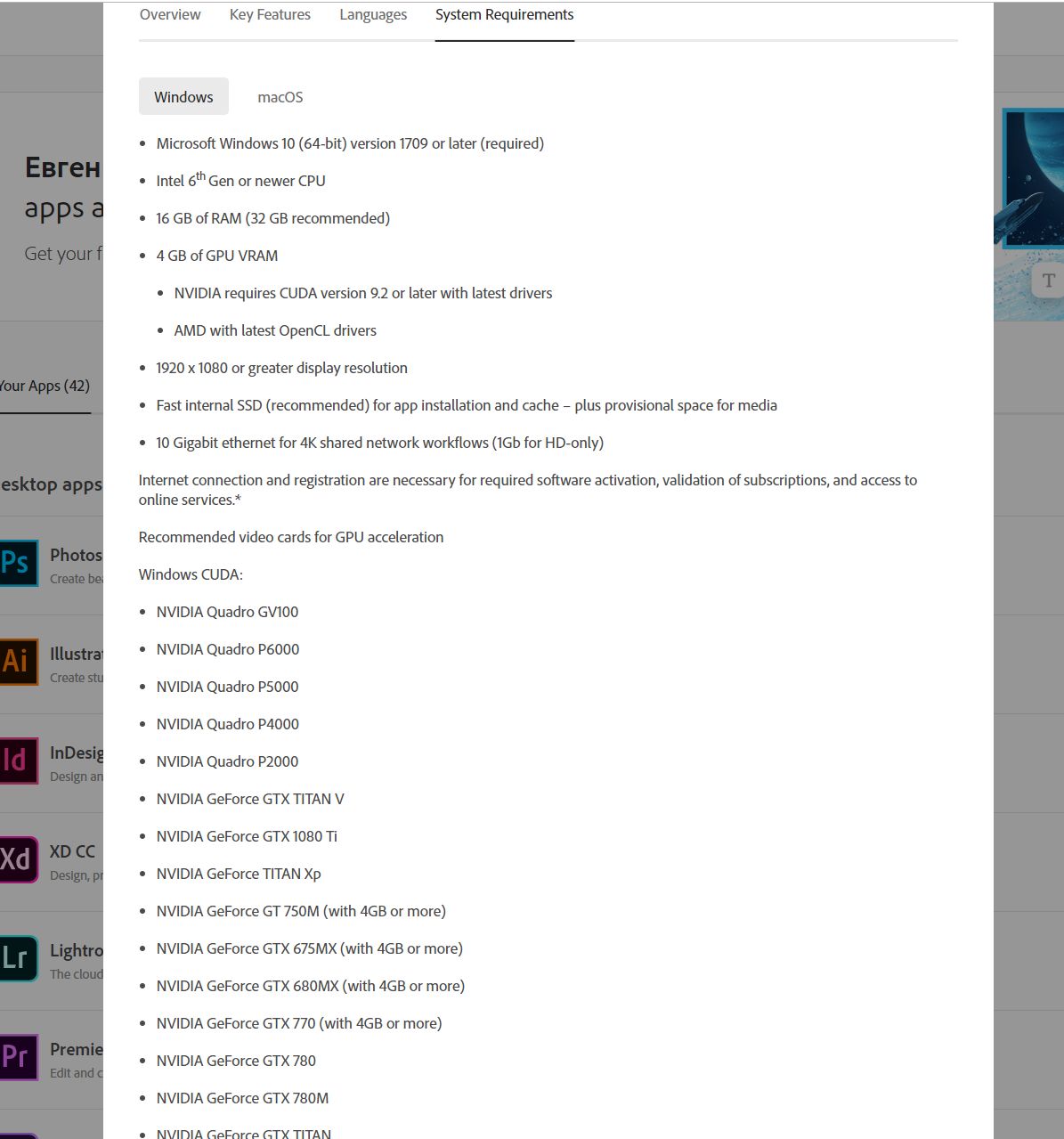
Well, your specs are good, but for 4K footage is way better to have at least 32 Gb RAM. SSD is not so important, but RAM and your graphics card are. Please look into system requirements on my project page https://docs.google.com/document/d/14QRkX65A2p70XgqE_Q_PpIiwGrVloWzU30zXEhs3ceY/edit and also official system requirements for Premiere CC 2019 from Adobe http://c2n.me/3Zk98w9.png.
Please email me via my profile page and I’ll provide you with the solution how you can improve your workflow.
Sent!
Hi, I just purchased Seamless Transitions. It keep saying The project appears to be damaged, it cannot be opened. Why is this happening?
Hi! This error appears because your version is below CC 2018 12.1.0. Please update your Premiere Pro. Version requirements are mentioned at the top of the project page http://c2n.me/40j5qd9.png
Hi Can I use your transitions on multiple videos on my youtube channel with no limit or is it for one project only then I have to buy again?,starting up my own channel, saw your templates just what I needed to speed my video editing/vlogs. Read about the standard license terms juat got confused.
Hi! Already replied on your email.
hello! i’m from taiwan, love your work! I have some issue during use your transition.It takes very long time when I re-open my project. And when I open my project, sometimes it can play the sound, but can’t play the video.And at the same time I check my cpu and ram is almost 100% used. here is my system cpu : i7 8750h ram :32gb ssd : 512gb gpu : nvdia 1050ti
pls tell me how to do. it takes over 30min when every time I open my project an d I don’t know why.
Hi! Your specs look good, so it shouldn’t be happening. Please try updating your video card driver. Also tell me do you work on laptop or desktop?
hello, I work on laptop.And I just update my graphic card but the problem is still there.
Thx for the info. Please email me via my profile page and I’ll provide you with the solution.
Hi! Already send you an email.
i have only one channel and want to use this pack (regular license) on my youtube channel?
Hi! Please email me via my profile page https://videohive.net/user/replayer to continue this discussion.
done please reply fast
Already have replied)
replied you please reply fast:)
Will these work on 9:16 ratio for Instagram Stories?
Hi! Sure, you can use my pack with any aspect ratio.
if I buy this ,, do I get 100 percent help to fix it if I run into some problems during install..
Hi! Sure, I’m always ready to help
Hi, I’m working on DCI 2K timeline (2048:1080). Can you please add that too? Thank you.
Hi. Please follow my PDF manual, it’s located here ”\Premiere\Help and additional tutorials”. With this manual you can create any custom resolution.
p.s.: If you’ll have any issues with making this 2048×1080 resolution, I can make it for you. Simply email me via my profile page.
Got it. Thank you! What’s the easiest way to chage the duration of the transitions?
You’re welcome) Please email me and I’ll provide you with the solution regarding speed adjusting.
I have been trying to import presets in premiere but it keeps on saying that my file is damaged. I did the first step of extracting it and then I cannot do the re-save step because it wouldn’t open in Premiere. Can someone help me and explain why the hell is this happening? or is the product defected?
Hi. Already have replied on your email. Product is not defected, I guess your Premiere Pro version is below CC 2018 12.1.0.
Nice work!
I have Adobe Premiere Pro CC 2019 and when trying to open the transitions it says “the project was saved from a previous version…and must be converted” how do I fix this issue?
Hi! Please watch my video tutorial and follow solution with re-saving https://youtu.be/CnJEirVOlUk?t=32.
Thank you for your reply but video doesn’t show what to do when “the project was saved from a previous version…and most be converted “ pops up. Do I convert anyway? I’m confused…
You need to hit “yes” and replace current file. I show that process in tutorial video. There is no alert about converting, but it doesn’t change any further steps.
I tried that but still saying missing media files…
Got it. I replied on your email, please check your inbox.
Thank you so much for taking time to help me! You are awesome!!
You’re welcome) And thank you for such a great review, appreciate it
Hey there, Will you be making a 4:5 ratio for Instagram video ads? This is pretty key IMO.
Hi! I guess you mean 1080×1350 resolution. Yes, I’ll add it. I suppose tomorrow)
THIS right here, is a testament to how dedicated the author is! Talk about service.
1080×1350 has been added
Hi! Can I use these assets for multiple YouTube videos (both monetized and unmonetized)? I know the Envato licenses are very vague for these types of things with their “single end product” sentence (they even said so when I asked for a clarification)
Thank you!
Hi! Please email me via my profile page with this question.
I’m pretty new to this kind of preset buying. But when I buy the Regular license. Does this allow me to use all the presets. I don’t get it quite. I will mainly use it for personal purposes. I’m not an professional videomaker who’s going to sell products to another. From what I understand is that I have to buy the extended license only if I am going to sell my projects to customers? Is this correct? Reason why I am asking this is to make sure that I buy the right license. Thank you in advance ( PS sorry for my bad English )
Hi Rifat. Yes, you can use all of the presets with regular licence and you don’t need to buy extended licence for that.
At the onset please accept my heartily congratulations for the amazing work. I am getting an error “This effect requires GPU Acceleration”. Please help me with how to fix this.
Hi Ojas. I’ve already replied on your email.
Thanks for your reply. In my Premier Pro CC 2019 the Video Rendering and Playback selection is disabled. Can you guide me how to enable it. I really want to get solution of “GPU Acceleration” error and want to use your effects to its fullest.
Please send me screenshot of your project settings (http://c2n.me/3Zc0MTT.png) on my email + tell me what’s your graphics card. And let’s continue this discussion via email.
1) Graphic Card available on my PC is: NVIDIA GeForce GT 630 Screen snap of “Error while applying transition effect” & “Project Setting Screen Window -Video rendering option is disabled” is shared on your mail. Thanks



)